
Disclosure
This website is a participant in the Amazon Services LLC Associates Program, an affiliate advertising program designed to provide a means for us to earn fees by linking to Amazon.com and affiliated sites.
Learning how to charge remote control batteries is simple: remove the rechargeable AAs, place them in a compatible smart charger, and match each battery to the correct slot. Proper charging saves money and reduces waste compared to buying disposables.
This complete guide covers charger types, expert tips for NiMH AAs, proven methods to avoid damage, and answers to common questions. Keep reading to charge your remote batteries safely and efficiently.
Key Takeaways
- Never charge disposable alkaline AAs — they can leak or rupture.
- Use only NiMH rechargeables in a matched smart charger.
- Expect 4–8 hours for a full charge; check the label.
- Charge in pairs of the same brand and capacity.
- Remove batteries once fully charged to prevent damage.
Best Products for Charging Remote Control Batteries – Detailed Comparison
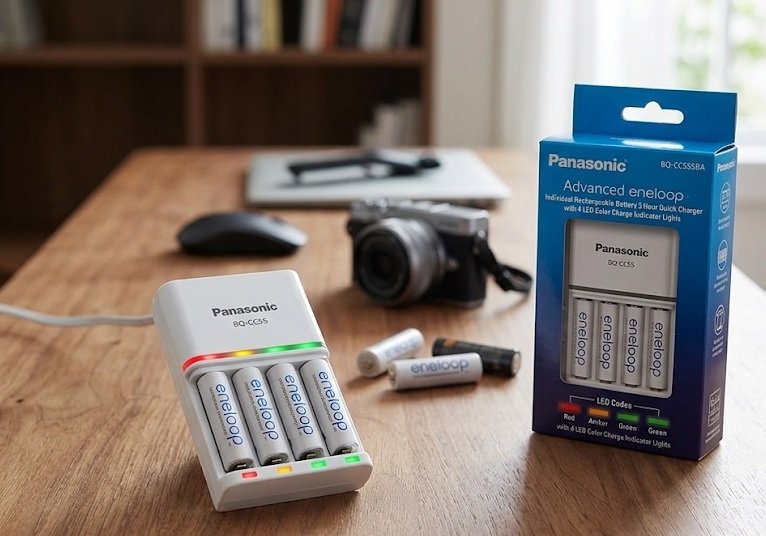
Panasonic Eneloop BQ-CC55 – Best Overall Choice
The Panasonic Eneloop BQ-CC55 is the recommended smart charger for most households. It charges four AA batteries in about 3 hours with individual LED indicators. The BQ-CC55 detects bad cells and stops charging automatically, making it the best option for beginners and families.
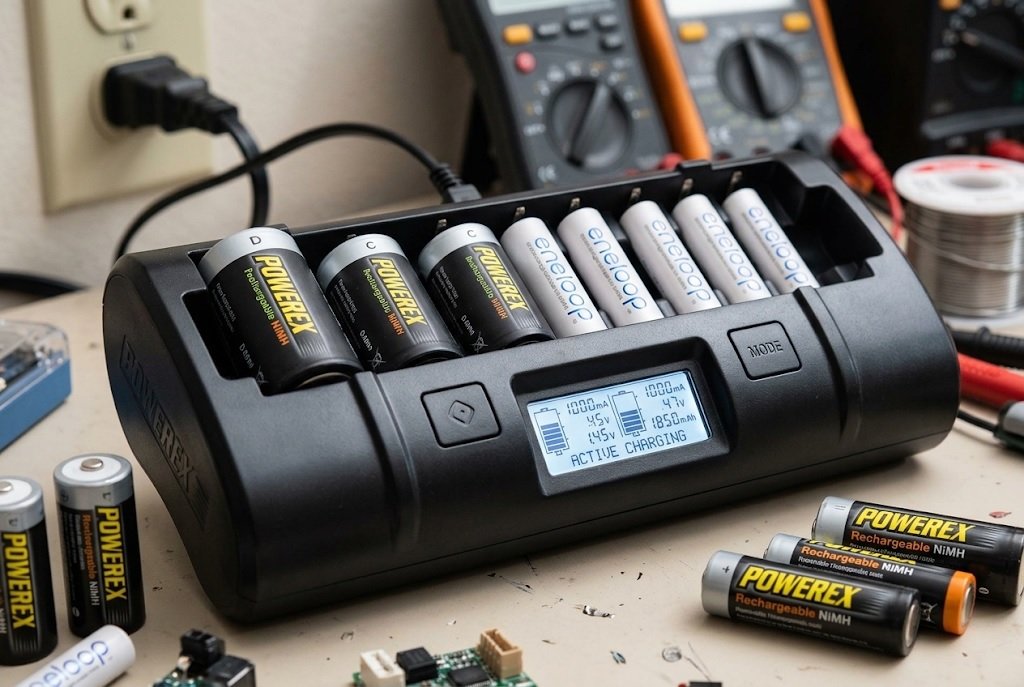
Powerex MH-C9000 WizardOne – Best for Advanced Users
The Powerex MH-C9000 WizardOne is ideal for tech-savvy users who want full control. It offers charge, discharge, refresh, and break-in modes with an LCD display. This analyzer-grade charger revives tired NiMH cells, though it costs more than basic models.
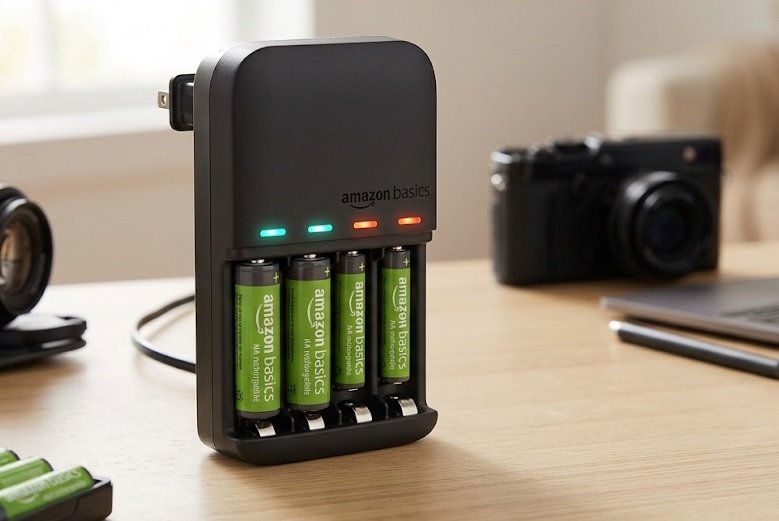
Amazon Basics Smart Battery Charger – Best Budget Pick
The Amazon Basics Smart Battery Charger is a solid budget-friendly option for casual users. It charges up to eight AA or AAA batteries with independent slots and overheat protection. For remotes and low-drain devices, it delivers reliable performance at a low price.
How to Charge Rechargeable AA Batteries for Remote Controls: Step-by-Step
Charging rechargeable AAs for your TV or AC remote takes just a few minutes of setup. Follow this proven method for safe, consistent results every time.
Step 1: Confirm Your Batteries Are Rechargeable
Never charge standard alkaline AAs — they can leak or rupture. Check the label for “NiMH” or “Rechargeable” before inserting anything into a charger.
- NiMH (Nickel-Metal Hydride): The standard for remote controls
- Alkaline: Single-use only — never recharge
- Lithium: Usually non-rechargeable in AA size
Step 2: Insert Batteries With Correct Polarity
Match the + and – symbols on each battery to the markings in the charger slot. Reversed polarity prevents charging and may damage the unit.
Step 3: Charge and Monitor
- Plug in the charger and confirm the indicator lights turn on.
- Wait 4–8 hours for a full charge (check your charger’s manual).
- Remove batteries promptly once the light signals completion.
Quick Tip
- Charge in pairs of the same brand and capacity for balanced performance.
- Warm batteries are normal; hot ones signal a problem.
Once charged, your remote should operate normally for weeks or months. Next, let’s look at common charging mistakes to avoid.
Common Mistakes When Charging Remote Control Batteries
Even experienced users make errors that shorten battery life or damage chargers. Avoiding these pitfalls keeps your rechargeable AAs performing at their best.
Charging Non-Rechargeable Batteries
This is the most dangerous mistake. Standard alkaline AAs can leak, overheat, or rupture inside a charger. Always verify the label says “Rechargeable” or “NiMH” first.
Mixing Battery Types and Brands
Combining different brands, capacities, or charge levels causes uneven charging. One cell may overcharge while another stays undercharged.
- Same brand: Keeps voltage curves consistent
- Same capacity: Prevents weak cells from overcharging
- Same charge level: Ensures balanced top-off
Leaving Batteries in the Charger Too Long
Overnight charging is fine with smart chargers that cut off automatically. However, trickle chargers can overheat cells if left plugged in for days.
Ignoring Heat and Damage Signs
Batteries should feel warm, not hot, during charging. Stop immediately if you notice these warning signs:
- Extreme heat or a burning smell
- Visible corrosion or white residue on terminals
- Swollen casing or cracked wrapping
Quick Tip
- Label your batteries with the purchase date to track aging.
- Retire any cell that no longer holds a charge after two cycles.
Now that you know what to avoid, let’s compare charger types to find the right fit for your setup.
Types of Battery Chargers for Remote Control AAs Compared
Not all chargers work the same way. Understanding the differences helps you pick the right model for your remotes and budget.
Smart Chargers vs. Basic Chargers
Smart chargers monitor each battery individually and shut off automatically when full. Basic chargers charge in pairs and rely on timers, risking overcharge if you forget them.
Comparison Table: Charger Types at a Glance
| Charger Type | Best For | Charge Time | Price Range |
|---|---|---|---|
| Smart (individual slots) | Mixed batteries, safety | 2–4 hours | $20–$50 |
| Basic (paired slots) | Occasional use | 6–10 hours | $10–$20 |
| Analyzer/Refresh | Reviving old NiMH cells | 4–12 hours | $40–$80 |
Key Features to Look For
When shopping for a charger, prioritize features that protect your batteries and simplify use.
- Individual slot charging: Charge one or four batteries freely
- Auto shut-off: Prevents overheating and overcharging
- LCD or LED indicators: Shows charge status per cell
- Bad cell detection: Flags damaged or dead batteries
Quick Tip
- For remote controls, a smart 4-slot charger is the sweet spot.
- Skip analyzer chargers unless you recharge heavily or restore old cells.
With the right charger in hand, proper battery care becomes effortless. Next, we’ll cover how long a charge lasts in typical remotes.
How Long Do Charged Rechargeable AAs Last in Remote Controls?
Battery life depends on the remote, usage frequency, and battery capacity. Most users get weeks to months from a single charge in standard TV remotes.
Typical Runtime by Device Type
Low-drain devices like remotes sip power slowly. High-drain devices drain batteries much faster.
| Device | Estimated Runtime | Drain Level |
|---|---|---|
| TV/AC remote | 3–12 months | Very low |
| Gaming controller | 10–40 hours | High |
| Wireless mouse | 1–6 months | Low |
Factors That Affect Battery Life
Several variables shorten or extend how long a charge lasts in your remote.
- Battery capacity (mAh): Higher mAh means longer runtime
- Usage frequency: Heavy channel surfing drains faster
- Backlit buttons: Lights consume extra power
- Battery age: Older cells hold less charge
Signs Your Rechargeable AAs Need Charging
Watch for these telltale signals before your remote dies mid-use.
- Buttons respond slowly or need extra presses.
- The remote works only when pointed directly at the device.
- Some buttons stop responding while others still work.
Quick Tip
- Keep a spare charged pair ready to swap instantly.
- Low-drain remotes benefit most from high-capacity NiMH cells (2000mAh+).
Runtime is only half the story — proper storage and maintenance extend battery lifespan even further.
Maintaining and Storing Rechargeable AA Batteries for Longer Life
Proper care extends the lifespan of rechargeable AAs to several years. A few simple habits make a big difference in performance and safety.
Storage Best Practices
Store charged batteries in a cool, dry place away from direct sunlight. Extreme heat or humidity degrades cells even when they aren’t in use.
- Temperature: Keep between 60–75°F (15–24°C)
- Humidity: Avoid damp basements or bathrooms
- Containers: Use a plastic case to prevent short circuits
Cleaning Battery Contacts
Dirty terminals block current flow and cause poor performance. Wipe contacts with a dry cloth or a pencil eraser every few months.
- Remove batteries from the remote.
- Gently rub each terminal until shiny.
- Reinsert and test the remote.
When to Replace Rechargeable AAs
NiMH batteries typically last 500–1,000 charge cycles. Replace them when performance drops noticeably.
- Rapid discharge: Loses charge within days
- Physical damage: Cracks, swelling, or corrosion
- Failed refresh cycles: Won’t recover after two attempts
Quick Tip
- Store batteries at ~40% charge if unused for months.
- Rotate battery sets to balance wear across all cells.
Good maintenance habits keep your remote running reliably for years. Now let’s address the most common questions users ask.
Alternatives to Rechargeable AAs for Remote Controls
Rechargeable AAs aren’t the only option for powering remotes. Depending on your needs, other solutions may work better.
USB-C Rechargeable Batteries
Newer USB-C AAs have a built-in port, so you charge them directly without a separate charger. They’re convenient for travel but typically cost more per cell.
- Pros: No charger needed, simple plug-in charging
- Cons: Higher upfront cost, fewer charge cycles
Rechargeable Battery Packs
Some remotes and controllers use proprietary rechargeable packs instead of AAs. These snap in and charge via a dock or cable.
- Best for: Gaming controllers and smart remotes
- Downside: Brand-specific and often expensive to replace
Comparison: Rechargeable AAs vs. Alternatives
| Option | Cost | Convenience | Best For |
|---|---|---|---|
| NiMH AAs + charger | Low long-term | High | Most remotes |
| USB-C AAs | Medium | Very high | Travel, light use |
| Battery packs | High | High | Controllers |
Quick Tip
- Stick with NiMH AAs for the best balance of cost and reliability.
- Choose USB-C AAs if you dislike managing a separate charger.
Whichever option you choose, matching it to your usage habits ensures the best results. Let’s wrap up with final recommendations.
Troubleshooting Common Charging Problems
Even with the right charger, issues can arise. Here’s how to diagnose and fix the most common charging problems quickly.
Batteries Won’t Charge at All
If the charger shows no activity, the problem is usually simple. Work through these checks in order.
- Confirm the charger is plugged into a working outlet.
- Verify each battery is inserted with correct polarity.
- Test the batteries in another device to rule out a dead cell.
- Try a different slot to isolate a faulty channel.
Charger Shows Error or Blinking Lights
Blinking indicators often signal a bad cell or overheating. Let batteries cool for 30 minutes, then retry. If the error repeats, retire that battery.
Batteries Drain Quickly After Charging
Fast drain points to worn cells or a faulty charger. Check these possibilities:
- Aging batteries: Past 500–1,000 cycles, capacity drops sharply
- False termination: Charger stops early due to heat
- High-drain device: Controllers drain faster than remotes
Quick Tip
- Test suspect batteries in a known-good device first.
- Replace any cell that fails two consecutive charge cycles.
Most charging issues trace back to worn batteries or user error. With these fixes, you can keep your remotes powered reliably.
Conclusion: Charging Remote Control Batteries the Right Way
Charging rechargeable AAs for remote controls is simple once you know the basics. The right charger, proper handling, and good storage habits keep your batteries running for years.
Remember the golden rule: never charge disposable alkalines. Stick with NiMH cells, charge them in matched pairs, and remove them once full.
Grab a smart charger, label your batteries, and start saving money today.
With these proven methods, you’ll never scramble for dead batteries again.
Frequently Asked Questions about Charging Remote Control Batteries
Can you charge regular AA batteries in a rechargeable battery charger?
No, you should never charge standard alkaline AAs. They are single-use and not designed to accept a charge.
Attempting to recharge them can cause leaking, overheating, or rupture. Always confirm the label says “Rechargeable” or “NiMH” before placing batteries in any charger.
How long does it take to charge rechargeable AA batteries for a remote?
Most NiMH AAs take 4–8 hours to fully charge in a standard smart charger. Fast chargers can finish in 2–3 hours.
Charge time depends on battery capacity (mAh) and charger output. Check your charger’s manual, since higher-capacity cells take longer to reach full charge.
How do I know when rechargeable AA batteries are fully charged?
Smart chargers signal completion with a green light or LCD indicator. Some models beep or shut off automatically.
If your charger has no indicator, follow the recommended charge time in the manual. Remove batteries promptly to avoid unnecessary trickle charging and heat buildup.
Is it better to charge AA batteries in pairs or individually?
Individual slot charging is better because each battery receives exactly what it needs. Paired charging can overcharge a fuller cell.
If your charger only supports pairs, always use batteries of the same brand, capacity, and charge level for balanced performance.
Why do my rechargeable AA batteries drain so fast in my remote?
Fast drain usually means the batteries are aging or worn out. NiMH cells last roughly 500–1,000 cycles before capacity drops.
Other causes include a faulty charger that stops early or a remote with a stuck button. Test the batteries in another device to isolate the problem.
Can I leave rechargeable AA batteries in the charger overnight?
Yes, with a smart charger that has auto shut-off. These stop charging once cells are full, so overnight charging is safe.
However, avoid leaving batteries in basic trickle chargers for days. Prolonged trickle charging generates heat and shortens overall battery lifespan.
What is the best way to store rechargeable AA batteries long-term?
Store them at about 40% charge in a cool, dry place. Avoid extreme temperatures and direct sunlight.
Keep batteries in a plastic case to prevent short circuits. Recharge them fully every few months to maintain healthy cell chemistry.
Do rechargeable AA batteries work in all remote controls?
Yes, NiMH rechargeable AAs work in virtually all remotes that use AA batteries. Their 1.2V output is compatible with devices expecting 1.5V alkalines.
Some very low-drain devices may show a low-battery warning early. In those rare cases, standard alkalines or lithium AAs may perform better.