
Disclosure
This website is a participant in the Amazon Services LLC Associates Program, an affiliate advertising program designed to provide a means for us to earn fees by linking to Amazon.com and affiliated sites.
If your smartwatch is charging slowly, the culprit is usually a weak power source, dirty contacts, or a damaged cable. Fixing these common issues can restore fast, reliable charging in minutes.
This complete guide reveals the top reasons your wearable charges at a crawl. You’ll also get expert tips and proven methods to speed things up, so keep reading to get your watch back to full power fast.
Key Takeaways
- Weak chargers and USB ports are the #1 cause of slow charging.
- Dirty or corroded contacts block power flow—clean them monthly.
- Damaged cables and adapters quietly cut charging speed by half.
- Background apps and always-on displays drain power while charging.
- Battery health below 80% often requires professional replacement.
Best Chargers and Accessories for Fixing Slow Smartwatch Charging
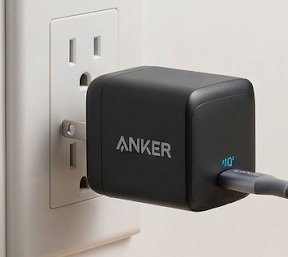
Anker 313 Charger (Ace) – Best Overall Choice
The Anker 313 Charger (Ace) delivers a steady 45W output, making it the recommended pick for fast smartwatch charging. Its compact GaN design runs cooler than standard bricks, so power stays consistent. Ideal for overnight charging, it’s a reliable best option that eliminates weak-adapter slowdowns entirely.
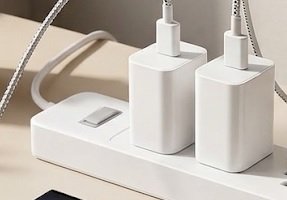
Samsung 25W USB-C Super Fast Charging Wall Charger (EP-TA800) – Best for Samsung Watches
The Samsung EP-TA800 is ideal for Galaxy Watch owners needing guaranteed compatibility. This 25W PD charger pairs perfectly with official wireless pads, delivering stable voltage that prevents trickle-charging. Recommended for Samsung users, it’s the best option for restoring factory charging speeds without guesswork.
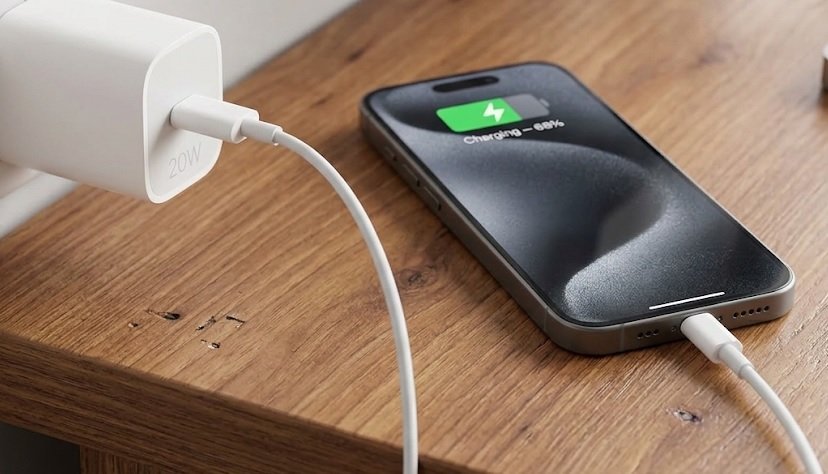
Apple 20W USB-C Power Adapter (MHJA3AM/A) – Best for Apple Watch
The Apple 20W USB-C Power Adapter (MHJA3AM/A) is the recommended charger for Apple Watch fast-charging models. It enables the full USB-C fast-charge rate on Series 7 and newer. Ideal for Apple users, this best option ensures your watch hits 80% in about 45 minutes.
Common Reasons Your Smartwatch Is Charging So Slowly
Most slow-charging complaints trace back to a handful of fixable culprits. Identifying the exact cause saves you from buying unnecessary replacements. Here are the most frequent problems and how to spot them.
Weak Power Sources and Low-Amperage Adapters
Your smartwatch needs adequate wattage to charge at full speed. Plugging into a laptop USB port or an old 5W phone brick delivers a trickle charge. Always use the adapter that shipped with your watch or a certified equivalent.
- Laptop ports: Often output under 5W, causing painfully slow charging
- Old phone chargers: May lack USB-PD or fast-charge support
- Car USB slots: Frequently limited to 1A output or less
Dirty Charging Contacts and Misaligned Docks
Sweat, dust, and skin oils build up on charging pins and block current flow. Even a thin film of residue dramatically reduces charging speed. Wipe contacts weekly with a dry microfiber cloth or isopropyl alcohol swab.
Damaged Cables and Worn Magnetic Pucks
Frayed cables and degraded magnetic connectors are silent speed killers. A cable that works for data may fail to carry enough power. Test with a known-good cable before assuming your watch battery is failing.
Quick Diagnosis Checklist
- Swap the adapter and cable first—cheapest fix
- Clean contacts with alcohol weekly
- Check for software updates and battery health
Once hardware issues are ruled out, software and battery health become the next suspects worth investigating.
How to Fix a Smartwatch That Charges Slowly: Step-by-Step Solutions
Once you’ve identified the likely cause, fixing slow smartwatch charging is usually straightforward. Work through these solutions in order, from simplest to most involved. Most users solve the problem within the first three steps.
Step-by-Step Troubleshooting Process
- Swap the power adapter: Use a certified fast charger rated for your watch’s maximum wattage.
- Replace the cable: Test with an official or high-quality third-party cable.
- Clean the contacts: Gently wipe pins and the magnetic puck with isopropyl alcohol.
- Remove the watch case: Thick cases or metal bands can block the magnetic connection.
- Update firmware: Install the latest software via your companion app.
- Reboot the watch: A simple restart clears charging-related glitches.
Software Settings That Slow Charging
Background activity drains power while you charge, extending total charge time. Disabling certain features during charging sessions speeds things up noticeably.
- Always-on display: Turn off while charging to cut power draw
- GPS and heart-rate tracking: Pause continuous monitoring
- Notifications: Reduce vibration alerts during charging
- Wi-Fi and Bluetooth: Disable if syncing isn’t needed
When Battery Health Is the Real Problem
Lithium-ion batteries degrade over time, and a worn battery accepts charge more slowly. Check battery health in your watch’s settings menu. If capacity has dropped below 80%, replacement is often the only real fix.
| Symptom | Likely Cause | Solution |
|---|---|---|
| Charges only to 80% | Battery protection mode | Normal behavior—no fix needed |
| Very slow, warm charging | Weak adapter | Use certified fast charger |
| Won’t reach 100% | Degraded battery | Professional replacement |
Fast Fixes That Work
- Certified adapter + clean contacts solve most cases
- Disable always-on display during charging
- Below 80% battery health means replace the battery
Prevention is just as important as repair, so let’s look at habits that keep charging speeds healthy long-term.
How to Prevent Slow Smartwatch Charging Long-Term
Prevention beats repair every time. A few simple habits keep your smartwatch charging at full speed for years. These practices also extend overall battery lifespan.
Best Charging Habits for Battery Longevity
How you charge matters as much as what you charge with. Lithium-ion batteries thrive on consistent, moderate charging cycles rather than extreme ones.
- Keep charge between 20% and 80%: Deep discharges stress the battery
- Avoid overnight charging: Constant top-offs generate excess heat
- Charge at room temperature: Heat and cold both slow charging
- Remove thick cases: They trap heat against the watch body
Choosing the Right Charger and Cable
Not all chargers are equal, even when they look identical. Certified accessories guarantee the correct voltage and amperage for your specific watch model.
- Match the wattage: Never exceed or fall below the manufacturer’s rating
- Buy official or certified brands: Cheap knockoffs often underperform
- Replace cables every 12–18 months: Wear is inevitable with daily use
Routine Maintenance Schedule
Consistent upkeep prevents the buildup that causes slow charging. Set a recurring reminder so maintenance becomes automatic.
- Weekly: Wipe charging contacts with a dry cloth
- Monthly: Deep-clean pins with isopropyl alcohol
- Quarterly: Inspect cables for fraying or bent connectors
- Yearly: Check battery health and consider professional service
Prevention Essentials
- Stay within the 20–80% charge range
- Use certified chargers matched to your watch
- Clean contacts weekly, inspect cables quarterly
With the right habits in place, your watch should charge quickly for years—but knowing when to seek professional help still matters.
When to Seek Professional Help for Slow Charging
Some charging problems go beyond DIY fixes. Knowing when to escalate saves time and prevents further damage. Watch for these warning signs that require expert attention.
Signs Your Smartwatch Needs Professional Repair
Hardware failures inside the watch are not user-serviceable. If you notice any of these symptoms, contact the manufacturer or a certified technician.
- Physical damage: Cracked screen, swollen back panel, or bent chassis
- Overheating: Watch becomes uncomfortably hot during charging
- No charging at all: Multiple chargers and cables fail to work
- Burning smell: Indicates internal electrical damage—stop charging immediately
Understanding Warranty and Repair Options
Most smartwatches carry a one-year limited warranty covering defects. Battery degradation from normal use is typically excluded, but manufacturing faults are covered.
| Option | Best For | Typical Cost |
|---|---|---|
| Manufacturer warranty | Defects within 1 year | Free |
| Authorized repair center | Out-of-warranty battery swaps | $50–$120 |
| Third-party repair shop | Older or discontinued models | $30–$90 |
Is It Worth Replacing the Battery or the Watch?
Battery replacement makes sense if your watch is under three years old and otherwise functional. For older models, compare repair cost against a new device’s price. If repair exceeds 50% of replacement cost, upgrading is usually smarter.
When to Get Help
- Overheating, swelling, or burning smells need immediate service
- Warranty covers defects, not normal battery wear
- Replace the battery if repair costs under 50% of a new watch
Knowing these thresholds helps you decide confidently between repairing and replacing your device.
Brand-Specific Slow Charging Issues and Fixes
Different smartwatch brands handle charging differently. What fixes an Apple Watch may not solve a Galaxy Watch problem. Here are the most common brand-specific quirks and their solutions.
Apple Watch Charging Slowly: Common Causes
Apple Watch fast charging requires specific hardware combinations. Using the wrong adapter silently drops you to standard speeds.
- Fast charging needs USB-C: Series 7 and newer require the USB-C Magnetic Fast Charger cable
- 20W minimum: Older 5W bricks charge painfully slowly
- Optimized Battery Charging: This feature intentionally pauses charging at 80%—disable it in Settings if unwanted
Samsung Galaxy Watch Charging Problems
Galaxy Watches rely on wireless charging pads that are sensitive to alignment. Small misalignments cause dramatic slowdowns.
- Alignment matters: Center the watch precisely on the pad’s coil
- Case interference: Thick or metallic bands can block wireless charging
- Third-party pads: Only certified pads deliver full 10W speeds
Fitbit and Garmin Charging Quirks
Fitbit and Garmin devices use proprietary charging cables that wear out faster than standard ones. Replacement cables are inexpensive and often solve the issue instantly.
- Fitbit: Pogo-pin connectors corrode easily from sweat—clean them often
- Garmin: Firmware updates occasionally reset charging behavior; reboot after updating
| Brand | Most Common Cause | Quick Fix |
|---|---|---|
| Apple Watch | Wrong adapter/cable | Use USB-C fast charger |
| Galaxy Watch | Pad misalignment | Reposition watch carefully |
| Fitbit | Corroded pogo pins | Clean with alcohol |
Brand-Specific Fixes
- Apple Watch needs USB-C and 20W minimum for fast charging
- Galaxy Watch requires precise pad alignment
- Fitbit pogo pins need regular cleaning
Regardless of brand, a few universal diagnostics can pinpoint almost any slow-charging issue quickly.
Quick Diagnostics: Testing Your Charging Setup in 5 Minutes
Before buying replacements, run these fast tests to isolate the exact problem. Five minutes of diagnosis prevents wasted spending. Work through each test in order.
Test 1: Isolate the Adapter
Swap your current adapter for a known-good one rated at the correct wattage. If charging speed improves, the original adapter was the culprit.
- Check the rating: Confirm output meets your watch’s requirement
- Try a different outlet: Faulty wall sockets deliver unstable power
- Bypass power strips: Some strips limit current flow
Test 2: Isolate the Cable
Cables fail more often than any other component. Swap in an official or certified cable and observe whether charging time drops.
- Inspect for damage: Look for fraying, kinks, or bent connectors
- Wiggle test: If charging cuts in and out when moved, replace the cable
- Avoid bargain cables: They often lack proper power conductors
Test 3: Measure Actual Charging Speed
Track how long your watch takes to gain 10% from a low charge. Compare that against the manufacturer’s stated fast-charge times.
- Note starting percentage: Begin below 30% for accurate results
- Time 15 minutes: Fast charging should add roughly 20–30%
- Compare to specs: If far slower, hardware is the issue
| Test | What It Reveals | Action If Failed |
|---|---|---|
| Adapter swap | Weak power source | Buy certified charger |
| Cable swap | Damaged conductor | Replace cable |
| Speed timing | Overall performance | Seek service |
5-Minute Diagnostic Results
- Adapter swap identifies weak power sources instantly
- Cable wiggle test exposes hidden conductor damage
- Timing a 15-minute charge confirms real-world speed
These tests narrow down the cause fast, leaving you with a clear next step.
Environmental and Temperature Factors Affecting Charging Speed
Your surroundings affect charging more than most people realize. Temperature, humidity, and even altitude can slow your smartwatch down. Understanding these factors helps you charge smarter.
How Heat and Cold Slow Charging
Lithium-ion batteries charge optimally between 10°C and 35°C (50°F–95°F). Outside this range, watches automatically throttle charging to protect the battery.
- Hot environments: Direct sunlight or warm cars trigger protective slowdowns
- Cold conditions: Winter outdoor charging can cut speed by half
- Charging while hot: Never charge immediately after intense workouts
Humidity, Sweat, and Moisture Problems
Moisture on charging contacts creates resistance that blocks current flow. Sweaty wrists and humid bathrooms are common culprits behind sluggish charging.
- Dry the watch first: Wipe away sweat before placing it on the charger
- Avoid bathrooms: Steam condenses on cold metal contacts
- Check water-lock mode: Some watches pause charging until moisture clears
Charging While Using the Watch
Using your watch during charging creates a power tug-of-war. The battery drains faster than it fills, making charge times balloon.
- Disable always-on display: Saves significant power during charging
- Stop workout tracking: GPS and heart-rate sensors draw heavily
- Enable theater or bedtime mode: Minimizes screen and vibration activity
Environmental Charging Tips
- Charge between 10°C and 35°C for optimal speed
- Dry sweat and moisture off contacts before charging
- Stop using the watch while it charges
Controlling these environmental factors often delivers immediate speed improvements without any purchases.
Conclusion: Solving Slow Smartwatch Charging for Good
A slow-charging smartwatch is rarely a lost cause. Most problems trace back to weak adapters, dirty contacts, or damaged cables—all easy fixes.
Start with the 5-minute diagnostic tests, then apply the right solution. Remember: certified chargers and clean contacts solve most cases.
Grab a certified charger today and restore fast charging tonight.
With consistent care, your watch will keep pace with your life for years.
Frequently Asked Questions About Slow Smartwatch Charging
Why is my smartwatch charging so slowly all of a sudden?
Sudden slowdowns usually mean a hardware change: a damaged cable, dirty contacts, or a failing adapter. Software updates can also reset charging behavior temporarily.
Try swapping the cable and adapter first. If speed stays slow, clean the charging contacts with isopropyl alcohol and reboot the watch.
How long should a smartwatch take to charge fully?
Most modern smartwatches charge fully in 60 to 120 minutes. Fast-charging models like the Apple Watch Series 9 reach 80% in roughly 45 minutes.
If your watch takes over three hours, something is wrong. Check your adapter’s wattage and confirm you’re using the correct charging cable.
Can a phone charger damage my smartwatch battery?
Quality phone chargers won’t damage your watch because smartwatches regulate incoming power. However, cheap uncertified chargers may deliver unstable voltage that stresses the battery over time.
Always use certified adapters from reputable brands. The Anker 313 Charger is a safe, reliable option for most watches.
What is the best way to clean smartwatch charging contacts?
Power off the watch, then wipe the contacts gently with a dry microfiber cloth. For stubborn residue, use a cotton swab lightly dampened with isopropyl alcohol.
Never use water, abrasive materials, or metal tools. Clean contacts weekly to prevent the buildup that causes slow charging.
Does charging overnight ruin my smartwatch battery?
Overnight charging is generally safe because modern watches stop drawing power at 100%. However, keeping the battery at full charge constantly can accelerate long-term degradation.
For best battery health, charge during the evening and unplug before bed. Keeping charge between 20% and 80% maximizes lifespan.
Why does my smartwatch charge slowly on a wireless pad?
Wireless charging is inherently slower and highly sensitive to alignment. If the watch isn’t centered over the coil, charging speed drops dramatically.
Remove thick cases and metal bands before charging. Also confirm your pad supports your watch’s maximum wireless wattage.
How do I know if my smartwatch battery needs replacing?
Check battery health in your watch’s settings menu. If capacity has dropped below 80%, replacement is usually necessary.
Other signs include rapid draining, unexpected shutdowns, and a swollen back panel. Contact an authorized service center for a professional assessment.
Is it worth repairing a slow-charging smartwatch?
Repair makes sense if your watch is under three years old and otherwise works well. Battery replacements typically cost $50–$120.
If repair exceeds 50% of a new watch’s price, upgrading is smarter. Compare costs carefully before deciding.